
A project can appear to be moving forward until somebody asks a simple question.
What exactly has been completed?
The answer is not always easy to find. Site teams may have carried out inspections, completed tasks, identified issues, or gathered photographs, but the information remains scattered across emails, notebooks, messaging apps, and memory.
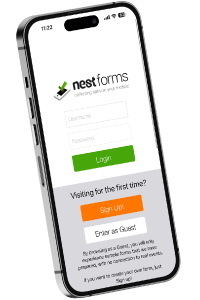
The NestForms surveying app helps organisations keep projects visible from start to finish by collecting updates, inspections, photographs, GPS locations, and completion records in one place. Managers can see progress as work happens rather than waiting for paperwork to arrive later.
How Do You Keep Projects Visible From Start to Finish?
A project remains visible when progress is recorded throughout the job rather than only at the end.
This means collecting information by use of a quality control app during site visits, inspections, installations, surveys, repairs, and handovers.
Project visibility usually includes:
- Progress updates
- Site photographs
- Inspection results
- GPS locations
- Outstanding issues
- Client sign-offs
- Completion records
When this information is captured consistently, managers can quickly see the current status of a project.
This has led to a rise in apps for surveyors over the years, creating a faster and seamless workflow.
Why Do Projects Lose Visibility?
Most projects start with a clear plan.
Visibility is often lost during delivery.
A supervisor visits a site and identifies an issue. The issue is discussed but never recorded.
An engineer completes a repair but forgets to send photographs.
A client signs a document that never reaches the project file.
None of these situations appear serious at the time.
Weeks later, finding the information becomes difficult.
Projects lose visibility when updates depend on manual processes and individual follow-up.
What Information Should Be Tracked During a Project?
The exact information varies between industries.
Construction companies may focus on inspections, snagging items, handovers and project completion reports.
Surveyors may record locations, measurements, and site observations.
Field service teams may collect maintenance records, repairs, and customer approvals.
Common project information includes:
- Date and time
- Site location
- Photographs
- Inspection results
- Notes and observations
- Defects or actions
- Signatures
- Completion status
Capturing the same information every time creates a reliable project record.

What Happens When Updates Are Missed?
Missing updates often create problems later rather than immediately.
A contractor completes work on site.
No photographs are attached to the report.
Several weeks later, the client queries the finished work.
The contractor now needs to prove what was completed and when.
The same issue occurs with inspections, safety checks, installations, and maintenance visits.
Without records, managers spend time searching for information instead of resolving the issue.
How Can Field Teams Report Progress More Consistently?
The easiest approach is to collect information while the work is taking place.
Using a mobile form app allows teams to complete reports before leaving the site.
This may include:
- Work completion reports
- Installation forms
- Health and safety audits
- Quality control checks
- Site handover forms
- Project completion forms
- Project Tracking Form
The information is submitted immediately and becomes available to managers without additional administration.
How Does NestForms Help Track Project Progress?
The NestForms offline survey app acts as a field management system that connects office teams with people working on site.
Thid is carried out by the Nestforms GPS survey app.
Forms can be completed from Android devices, iPhones, tablets, or web browsers.
Responses can include:
- Images
- GPS locations
- Signatures
- QR codes
- Barcodes
- Audio recordings
- Documents
Automatic notifications can alert managers when work is completed or when a report requires attention.
This helps reduce delays between site activity and office reporting.
What Should Happen When Issues Are Found?
Identifying an issue is only the first step.
The issue also needs to be recorded, assigned, and tracked.
A snagging item, defect, safety observation, or quality issue should become part of the project record.
Photographs, notes, and locations provide supporting evidence.
Managers can then monitor progress, and confirm when the issue has been resolved.
This creates a clear history of actions taken throughout the project.
What Should Happen During Project Handover?
Project visibility becomes particularly important near completion.
Clients often require evidence that work has been completed correctly.
This may include:
- Final inspection records
- Site photographs
- Outstanding actions
- Client sign-offs
- Completion reports
When these records are available, project handover forms become much easier to complete.
Teams spend less time gathering documents and more time completing the final stages of the project with NestForms snag list app.
What Is the Simplest Way to Improve Project Visibility?
Start by identifying the information your team already collects.
Many organisations already record inspections, photographs, progress updates, and sign-offs.
The problem is often that the information is stored in different places.
Collecting project information through a single system gives managers a clearer view of progress from the first visit through to final handover.
The NestForms land survey app helps organisations capture, organise, and report project information throughout every stage of a project, helping teams stay informed and reducing the risk of important updates being missed.
Have a look at some ready made template forms from the NestForms library:
You can modify all of our templates to suit your workflow. Just give your form a quick test with a colleague after you have made your changes.
At NestForms snagging list survey app we offer a free Training Demo as an introduction to the platform if you need it. For larger operations we also provide more detailed Assisted Onboarding.
Start your NestForms journey today and sign up for the free two week trial. You can review and test all of the features available to Premium plan users during this period.