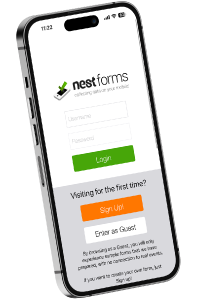
NestForms android forms app is now available as a publicly available plugin in ChatGPT. This integration allows you to connect your NestForms account with ChatGPT and interact with your forms and collected responses using natural language.
For us, It's an important first step towards making the data you collect in NestForms easier to access, understand and analyse with the help of AI.
What Is the NestForms ChatGPT Integration?
By connecting NestForms to ChatGPT through the Model Context Protocol (MCP), you can access supported data from your NestForms account directly through a conversational interface.
Instead of manually searching through your forms and responses, you can simply ask questions in natural language and let ChatGPT retrieve the relevant information from your NestForms account.
What Is MCP and Why Does It Matter?
The Model Context Protocol (MCP) is an open standard that allows AI applications to connect to external tools and data sources.
For NestForms users, this means ChatGPT can retrieve supported information from their NestForms account and use it to answer questions.
Rather than being just another entry point for an application, this integration unlocks the true power of combining your business data with an AI assistant. Through natural language processing, you can effortlessly locate information, project outcomes, and interact with your data directly.
What Can You Ask ChatGPT About Your NestForms Data?
Here are just some examples of questions you can ask ChatGPT after connecting your NestForms account:
- List the forms available in my NestForms account.
- Show me the questions configured in a particular form.
- Retrieve responses from a specific form.
- Help me summarise the information collected in my form responses.
- Show me images collected yesterday.
You can also use the information retrieved from NestForms as a starting point for further analysis, summaries and charts in ChatGPT.
How to connect NestForms to ChatGPT
Getting started is simple.
Open the NestForms plugin in ChatGPT to skip the first two steps below.
- Open ChatGPT and navigate to the plugin directory.
- Search for NestForms and open the NestForms plugin.
- Follow the installation and connection instructions.
- Connect your NestForms account and complete any required authorisation. You will be redirected to the nestforms.com website, where you will need to login and authorise access to your account.
- Once authorised, you will be redirected back to ChatGPT.
- Start a new conversation or use an existing chat and ask a question about your NestForms data. As your first example, try asking: Give me a list of forms from my NestForms account.
And that's it! You can now use ChatGPT to retrieve your NestForms data and explore it in a conversational way.
What's Next?
The initial release of our NestForms integration allows you to list forms, view form questions, and retrieve responses. Moving forward, we are actively developing advanced features to give you greater flexibility when analyzing and interacting with your data via AI assistants.
We are also working on bringing NestForms to additional AI platforms and chatbots. If there is a specific assistant you would like us to support next, please share your preference so we can make this a priority accordingly.