
Much like the paperless toilet concept, Paper still remains part of everyday working life for many field-based organisations.
final inspection checklist sheets are printed. Job forms travel between the office and site. Completed paperwork is stored in folders. Copies are sometimes made for clients, supervisors and other departments.
One snagging list survey may not seem significant. Multiply that across hundreds of jobs, inspections and employees, and the amount of paper can quickly increase.
Reducing unnecessary paper use is one practical step organisations can take when reviewing how they use resources. Digital forms alike gps survey apps provide an alternative by allowing information to be collected, shared and stored electronically.
But does replacing paper forms with mobile form apps actually help reduce paper waste?
How much paper do everyday processes require?
It is easy to underestimate paper use because it is often spread across many different activities.
A field-based business might regularly print:
- Inspection checklists.
- Health and safety forms.
- Job sheets.
- Snag lists.
- Maintenance records.
- Site surveys.
- Completion forms.
- Risk assessments.
- project handover checklist
- Customer sign-off sheets.
Some documents may also require several copies.
Forms can then become outdated when processes change. Old versions may be discarded and replacement forms printed.
Moving suitable processes to digital forms can reduce the need for much of this routine printing.
How do digital forms reduce paper waste?
The most obvious difference is that a digital form does not need to be printed before somebody can complete it.
Instead, employees can enter information using a smartphone or tablet.
Once submitted, the information can be stored electronically and made available to the people who need it.
This removes several paper-based steps from a typical workflow:
Print → distribute → complete → return → copy → file
A digital process can instead become:
Open → complete → submit → review
The benefit is not simply replacing a sheet of paper with a screen. It is reducing the amount of printing, copying and physical storage surrounding the entire process.
Can field teams use digital forms without internet access?
One reason some organisations continue using paper is reliability.
A printed form does not depend on an internet connection, which makes it convenient on construction sites, remote locations and other environments where connectivity may be unreliable.
However, an offline survey app can provide similar flexibility.
With NestForms land survey app, responders can complete forms on mobile devices while offline. The collected information can then be uploaded when connectivity becomes available again.
This allows businesses to digitise processes without assuming that every employee will have a reliable internet connection throughout the working day.
What information can replace paper records?
offline surveys can capture considerably more than typed answers.
Depending on the workflow, apps for surveyors field teams can record:
- Photographs.
- GPS locations.
- Signatures.
- Measurements.
- Dates and times.
- Numerical readings.
- Audio information.
- Inspection results.
- Notes and observations.
This can bring information together within one record.
Consider a paper inspection where an inspector completes a checklist but takes photographs separately on a phone.
Someone may later need to work out which photographs belong to which inspection.
With a mobile form, those images can be captured as part of the relevant response.
This reduces reliance not only on paper, but also on disconnected records.

Does going digital automatically make a process sustainable?
Not necessarily.
Digital technology also requires devices, infrastructure, data storage and energy.
Therefore, simply describing every digital process as environmentally friendly can oversimplify the issue.
A better question is whether digitisation can help an organisation reduce unnecessary resource use and inefficient processes.
For example, digital records may reduce printing. They can also make information available remotely, potentially avoiding some journeys made simply to collect or deliver paperwork.
The environmental impact will depend on how the technology is implemented and how the organisation works.
Can digital forms prevent unnecessary printing?
One advantage of a digital process is that a document does not necessarily have to be printed simply because somebody else needs to see it.
An office administrator might need to review an inspection.
A manager may need to approve completed work.
A client may require a report.
With a digital workflow, information can be reviewed and shared electronically rather than automatically producing another paper copy at each stage.
Reports can still be generated when required, but printing becomes a choice rather than a necessary part of the process.
What other benefits come from reducing paper forms?
Paper reduction may be the starting point, but organisations often find other practical benefits when digitising forms.
Less manual data entry
Information collected on paper frequently has to be entered into another system later.
Digital data can remove or reduce this additional step.
Faster access to records
Finding a paper form may involve searching filing cabinets or asking another employee.
Digital records can be easier to locate and review.
More consistent information
Required questions and structured answer types can help ensure employees provide the information needed.
Easier updates
When a paper checklist changes, old copies may remain in circulation.
A digital form can be updated centrally so teams have access to the latest version.
Better field evidence
Photographs, locations and signatures can be captured alongside the answers they relate to.
These advantages mean that reducing paper can be part of a broader improvement to how field information is collected and managed.
Which paper forms should you digitise first?
Trying to replace every paper process at once may create unnecessary disruption.
A better starting point is to identify forms that are used frequently or create the most administration.
Look for processes where:
- Large numbers of forms are regularly printed.
- Employees manually re-enter information.
- Paperwork frequently goes missing.
- Photographs are stored separately from forms.
- Managers need quick access to completed snag list form records.
- Forms are regularly updated and reprinted.
A frequently used inspection checklist, job completion form or site survey can be a practical first candidate.
Once the digital process works well, the same approach can be extended to other areas.
How can NestForms help replace paper forms?
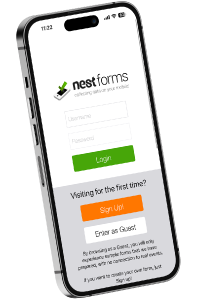
NestForms quality control app allows organisations to create digital forms that field teams can complete using Android and iOS devices.
Existing paper processes can be recreated and adapted for mobile data collection, including inspections, surveys, snag lists, safety audits and project completion forms.
Forms can include photographs, GPS locations, signatures, calculations and other information that would be difficult to capture effectively using paper alone.
Organisations can also create forms from existing templates, helping teams move established processes into a digital format without necessarily starting from scratch.
Is reducing paper a good place to start?
Sustainability can involve major changes, but it can also involve examining everyday processes that happen hundreds or thousands of times each year.
Paper forms are one of those processes.
Moving appropriate forms to digital devices will not solve every environmental challenge. However, it can reduce routine printing while also addressing some of the administrative problems associated with paper records.
The important point is not to digitise something simply because it can be digitised.
It is to identify where a digital process can genuinely make work simpler, reduce unnecessary resource use and provide better information.
For organisations with field teams still completing large volumes of paperwork, digital forms can be a practical place to begin.
At NestForms punch list application we offer a free Training Demo as an introduction to the platform if you need it. For larger operations we also provide more detailed Assisted Onboarding.
Start your NestForms gps land survey app journey today and sign up for the free two week trial best surveyor app. You can review and test all of the features available on the snag list app to Premium plan users during this period.