
An inspection report can describe a problem in detail, but words don’t always show the full picture.
A note such as “damage found around the window frame” leaves room for interpretation. How extensive is the damage? Where exactly is it? Was it already present when the new build snagging checklist inspection took place?
This is why inspection report photos have become an important part of recording work accurately. They provide visual evidence alongside written observations and create a clearer record of what an inspector actually found.
For construction teams, surveyors, installers and field service businesses, that visual evidence can become particularly valuable when questions arise later.
Why Should Inspection Reports Include Photos?
Photos provide context that can be difficult to capture using text alone.
An inspector might record a cracked tile, damaged fitting or incomplete final inspection checklist. A photograph immediately shows its location, condition and severity.
This makes the gps survey app inspection report easier to understand for people who were not present onsite.
Inspection report photos can help:
- Record the condition of an item at the time of inspection.
- Provide evidence of defects or incomplete work.
- Show exactly where a problem was identified.
- Support recommendations for corrective work.
- Compare conditions before and after repairs in snagging list surveys.
- Complete project completion reports or installation forms.
- Reduce misunderstandings between different parties.
The written description remains important. The photograph strengthens that description by providing visual context.
How Do Photos Improve Inspection Accuracy?
Inspectors often work through large numbers of items in project handover checklist during a site visit.
Trying to describe every defect in enough detail for another person to understand can be difficult. Photos of punch list form constructions allow inspectors to capture additional information quickly.
Consider an inspection of a newly installed door.
The inspector could write a few offline surveys containing more information:
“Small gap visible between frame and wall on upper left side.”
Adding a photograph with a quality control checklist app means the person reviewing the report can immediately see the gap, its position and its approximate extent.
This combination of written information and visual evidence creates a more useful inspection record.
Can Inspection Photos Help Prevent Disputes?
Inspection records often become more important after the inspection has finished.
A contractor may question whether damage was present when project management form work was completed. A client may report a defect several weeks later. A project manager may need to establish whether corrective work was actually carried out.
In these situations, dated inspection report photos can provide valuable supporting evidence.
Rather than relying entirely on memory or written snag list form descriptions, teams can refer back to the original inspection record with a mobile survey app.
For example, imagine a window installer completes work at a property. During the final inspection, photographs are taken of every installed window.
Several weeks later, damage is reported to one frame.
The original inspection report can help establish what condition the frame was in when the work was inspected and signed off.

What Photos Should an Inspector Take?
Taking more photographs does not automatically create a better report.
The objective should be to capture images that add useful information.
For a defect, this might include a wider photograph showing its location and a closer image showing the problem itself.
Depending on the surveying apps goal, useful photos might show:
- General site or room condition.
- Individual assets or installations.
- health and safety audit details
- Defects and damage.
- Serial numbers or identification labels.
- Safety hazards for field service software.
- Measurements or reference points.
- Completed corrective work.
- Final condition before client sign-off.
A consistent approach makes reports easier to review and compare.
Why Is Context Important for Inspection Photos?
A photograph without context can create another problem.
If somebody reviewing a completion form sees 40 images named IMG_001, IMG_002 and IMG_003, they may have no idea what each photograph relates to.
Inspection photos should therefore be connected to the relevant question, item, room, asset or defect.
Instead of uploading all images at the end of an inspection, an inspector could capture them while answering individual questions.
For example:
Question: Is there any visible damage to the window frame?
Answer: Yes.
Details: Scratching on lower right corner.
Photo: Image showing the affected area.
The relationship between the observation and the evidence is immediately clear.
How Do Digital Inspection Forms Improve Photo Records?
Paper inspection forms create an obvious difficulty with photographs.
The inspector completes the paperwork onsite, takes photographs separately and then has to match everything together later.
Digital inspection forms can remove much of this manual work for the new build snagging list.
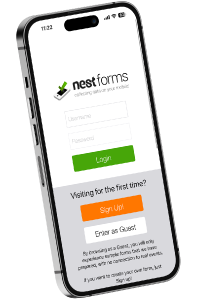
With a mobile form app such as NestForms land survey app, inspectors can capture images directly while completing the inspection. The photographs remain associated with the relevant response instead of sitting separately in a phone gallery or camera folder.
This can be particularly useful for teams completing snag lists, quality inspections, installation checks, site surveys and project handovers.
What Information Should Accompany a Photo?
The photograph itself is only part of the record.
Where appropriate, inspection teams should also capture supporting information such as:
- Date and time.
- Inspector or responder.
- Site or project reference.
- Location.
- Defect category.
- Written description.
- Required corrective action.
- Status.
- Client or inspector sign-off.
The exact information will depend on the inspection.
For example, a health and safety inspection may need the hazard category and corrective action. A snagging inspection might instead require the room, trade responsible and snag status.
Can Photos Show That Corrective Work Was Completed?
Photos are also useful after a problem has been identified.
A first inspection can record the original defect. A later inspection can capture the completed repair.
This creates a simple before-and-after record.
For example:
Before: Damaged seal around an installed window.
Action: Installer instructed to replace the seal.
After: New photograph showing the completed repair.
This provides project managers and clients with clearer evidence that the issue has been addressed.
Why Are Photos Useful in Final Inspection Reports?
The android forms app final report may be reviewed by people who never visited the site.
Clients, managers, contractors or compliance teams need to understand what was inspected and what was found without relying on the inspector to explain everything personally.
A rmarket research surveys report containing structured answers and relevant photographs can provide that information much more clearly.
With NestForms quality control app, collected inspection information can also be incorporated into PDF reports, allowing images and inspection data to form part of the same project record.
This can be useful during project completion, handover and client sign-off.
What Makes a Good Inspection Photo?
A useful inspection photograph should have a clear purpose.
Inspectors should try to ensure that:
- The subject is clearly visible.
- The image shows enough surrounding area to establish context.
- Close-up images are used where additional detail is needed.
- Important defects are not obscured.
- Photos relate directly to the relevant inspection question.
- Unnecessary duplicate images are avoided.
The aim is not to produce professional photography. It is to create reliable visual evidence that somebody else can understand later.
Building Better Inspection Records
Inspection reports are not simply records of what an inspector wrote down. They provide evidence of what was checked, what condition was found and what happened next.
Photos make that record considerably easier to understand.
When images are captured alongside inspection answers, comments, locations and sign-offs, teams have a clearer record to refer back to throughout a project.
For businesses moving away from paper inspections, this is also one of the practical advantages of using mobile inspection forms. Inspectors can capture the information while they are onsite rather than reconstructing the report afterwards.
NestForms punch list application allows teams to build inspection forms around their own processes, capture photos from mobile devices and produce structured reports from the information collected.
Want to see how this could work with your own inspection process? Take a free NestForms Training Demo and see how digital inspection forms can be adapted to the way your team works.
At NestForms gps land survey app we offer a free Training Demo as an introduction to the platform if you need it. For larger operations we also provide more detailed Assisted Onboarding.
Start your NestForms snag list app journey today and sign up for the free two week trial with the best surveyor app. You can review and test all of the features available to Premium plan apps for surveyors users during this period.