

How "Branding" works #
You can add a Brand image or logo when you click to your profile (name) in the top menu bar. Within the Profile page you will see a button on the right that allows you to select your (or your client) brand images. There are also advanced options depending on your subscription.
Learn more: Branding your forms, White labelling
Can I have NestForms as my own app #
Also asked as: Can I have my own branded version of NestForms? · Do you allow for a white labelled version of NestForms?
There are many options available in terms of how you can have a white label version of the NestForms app.
However, If you require your own fully branded version of the NestForms app, we are currently offering a fully customised app to Premium subscribers for an additional €3000-5000 (Depending on your requirements) for setup + €350 per month in addition to the premium subscription.
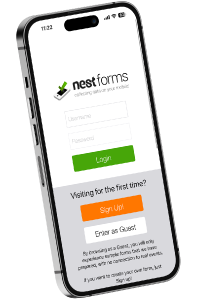
The White labelled app covers your own app released to Apple iTunes and Google Play with your own Logo, app name, description, updated splash screen, ability to login only users related to your admin, updated app colours based on your requirements. (These details would need to be agreed with NestForms), essentially removing the NestForms branding from the app where possible.
Regular updates and bug fixes to this app will be released during each year.
The links below should help you get a better understanding of how we help promote your identity either within the existing app itself or when you are generating reports.
Learn more: Branding your forms, White labelling, Images in forms
How can I remove the NestForms logo / footer from my reports? #
Also asked as: I only want my logo to appear on the reports?
You can remove the NestForms logo / footer through the NestForms Custom PDF feature. This is included within the Premium plan or as an additional paid module outside of this subscription.
Learn more: custom PDF, pricing plans, Pricing Compare All Plans-Additional Modules