
In many operations without an advanced process, a snagging list often starts on paper or in scattered notes. Depending on what you might be familiar with.
Glaring Issues can be missed. Photos are stored separately. Reports taking too long to compile.
That delay creates confusion between site teams, contractors, and clients.
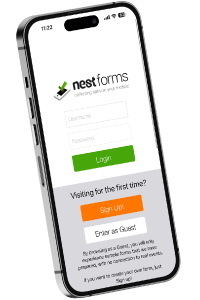
A snagging list survey mobile iOS or Android forms app such as NestForms changes how this process works on site.
What is a snagging list survey mobile app?
A snagging list survey mobile app is a digital tool used to record defects, incomplete work, or quality issues during inspections.
It replaces handwritten punch list application and disconnected photos with a structured mobile form.
Essentially, apps for surveyors have grown more popular over time replacing paper forms with digital forms.
Using a snagging list survey, users can:
- Log issues directly on site
- Attach photos and notes instantly
- Assign responsibility to specific contractors
- Track progress in real time
This keeps all snagging data in one place from the start.
When is a snag list app used?
Snagging happens at several stages of a project.
A mobile app supports each stage without changing how teams work.
Common use points include:
- Pre-handover inspections
- Work completion reports
- GPS land survey app
- Installation forms
- Final inspection checklist completion
- Ongoing site quality checks
- Post-completion follow-ups
Example:
A site manager walks through a new build property.
They spot paint defects, unfinished fittings, and alignment issues.
Instead of writing notes, they log each item into a snag list app with photos and exact locations.
The list is ready before they leave the site.
How does it improve accuracy on site?
Paper-based snagging relies on memory and later interpretation.
That creates gaps.
A mobile survey app captures information at the moment it is found.
Key improvements include:
- Photos linked directly to each issue
- Mandatory fields to avoid missing details
- GPS tagging for location clarity
- Standardised snag list form structure
This reduces disputes later in the project.
Why does it speed up reporting?
One of the biggest delays in snagging is report creation.
Notes are often rewritten, typed up, and reorganised.
A mobile form app removes that step.
What changes:
- Reports are generated automatically
- Data is already structured
- Images are embedded in the report
- No duplicate admin work
Example:
After completing a snagging inspection, a project completion report can be created instantly with a land survey app.
It can be shared with contractors before the next working day.
How does it improve communication between teams?
Snagging involves multiple parties.
Miscommunication slows everything down.
A mobile app keeps everyone working from the same list.
This means:
- Contractors see assigned issues clearly
- Updates can be tracked in real time
- No confusion over versions of reports
- Clients receive clear, consistent documentation
Each issue moves through a simple workflow instead of email chains.

What role does automation play?
Automation reduces manual effort and keeps processes consistent.
With a mobile data collection app, workflows can be built into the work completion form.
Examples of automation:
- Assigning tasks when a snag is logged
- Triggering notifications to contractors
- Updating status when work is completed
- Generating automated inspection reports
This keeps the process moving without constant follow-up.
How does it support surveyors and site managers?
Surveyors and site managers need tools that work quickly on site.
A mobile survey app allows them to focus on the inspection, not paperwork.
Benefits for users:
- Faster data entry during inspections
- Clear structure for consistent surveys
- Offline survey capability on remote sites
- Easy access to past reports and data
This is especially useful for teams managing multiple properties or developments.
Can it replace other tools?
A snagging list survey mobile app often replaces several separate tools.
Instead of using:
- Paper forms
- Cameras
- Spreadsheets
- Email threads
Everything is handled within one system.
This reduces duplication and keeps records organised.
What happens after the snagging list is completed?
Once the snagging list is finished, the next steps are clear.
Typical workflow:
- Issues are logged and assigned
- Contractors complete the required work
- Status is updated within a quality control app
- Follow-up inspections confirm completion
- Final sign-off is recorded
All activity is tracked within the same platform.
Why are mobile snagging apps becoming standard?
Construction projects are moving towards faster handovers and tighter timelines.
Manual processes struggle to keep up.
A snagging list survey mobile app provides:
- Real-time visibility
- Faster reporting
- Clear accountability
- Consistent documentation
It supports better control across the entire snagging process.
Practical takeaway
Snagging delays often come from poor visibility and slow reporting.
A mobile offline survey app removes those gaps.
It allows teams to record, share, and resolve issues without extra admin.
For site managers, surveyors, and contractors, it keeps everything clear and moving.
Check out these two pre-prepared snagging template forms from the NestForms library:
New Build Snagging Checklist
You can tailor any of our templates to suit your requirements.
We also offer a free Training Demo as an introduction to the platform if you need it. For larger operations we also provide more detailed Assisted Onboarding.
Start your NestForms surveying app journey today and sign up for the free two week trial. You can review and test all of the features available to Premium plan users during this period.